
Design Your Room Online
Plan your kitchen, closet or vanity in 3D. See an itemized estimate as you go. It’s free, and no payment is taken online.
Your layout, your sizes, our prices
Our Room Designer was built by our own team at TimbeRich, for TimbeRich cabinetry. Lay out your cabinets in 3D and change sizes and pieces. The estimate updates with TimbeRich pricing, line by line.
When you’re happy with it, send it to us. We’ll call you, go through the design together and confirm the details before anything is built.
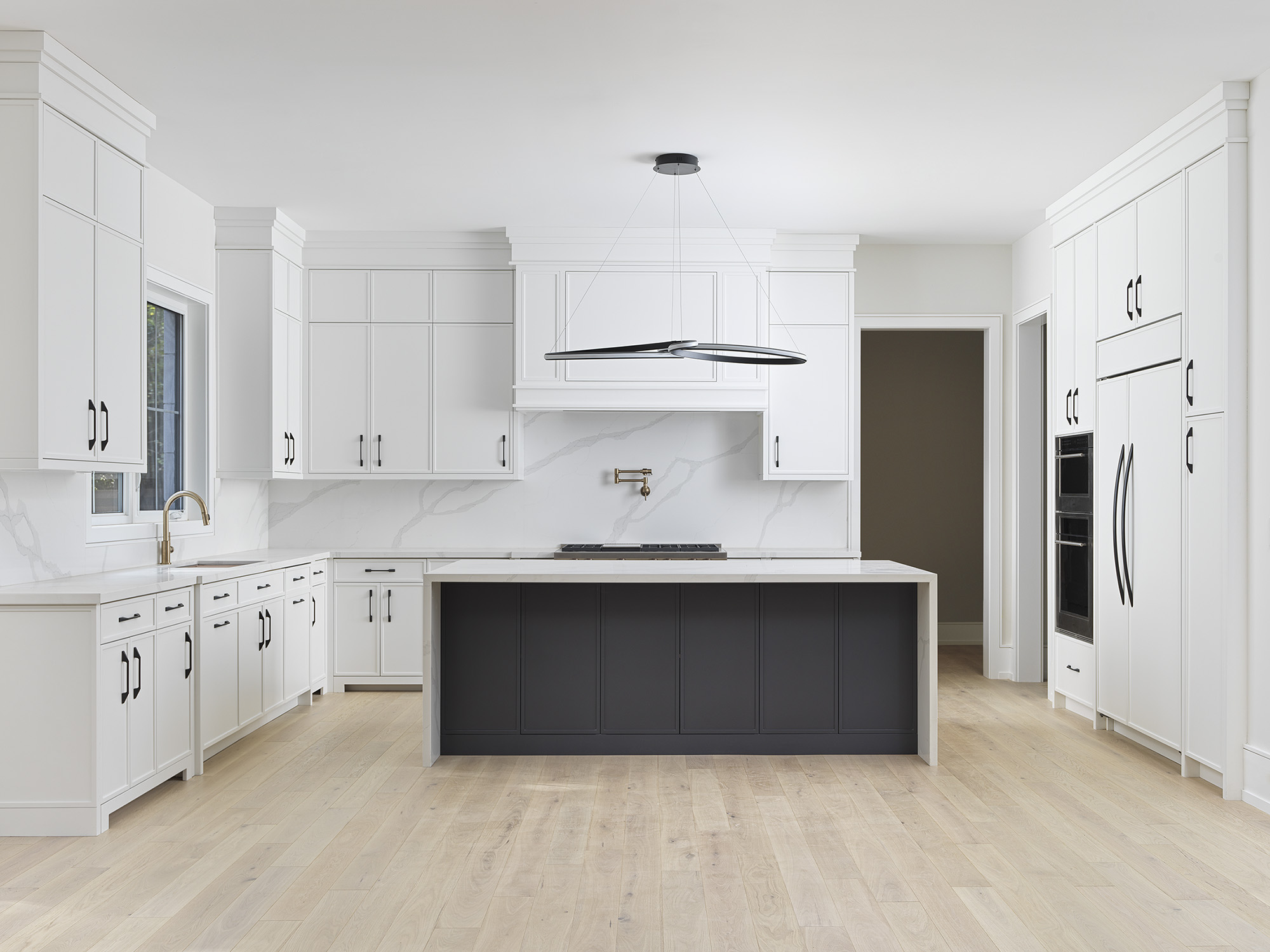
How to use the Room Designer
It takes a couple of minutes to set up. Here’s exactly what to expect.
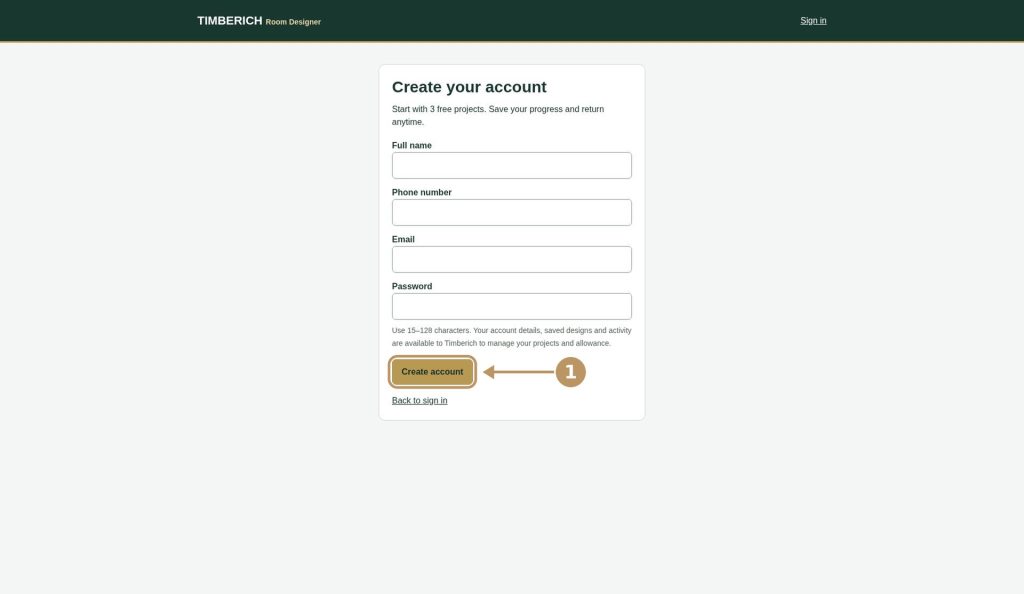
1. Create your free account
Click Start Designing, then register with your name, phone number, email and a password. Use an email you check, because that’s where your verification link goes.
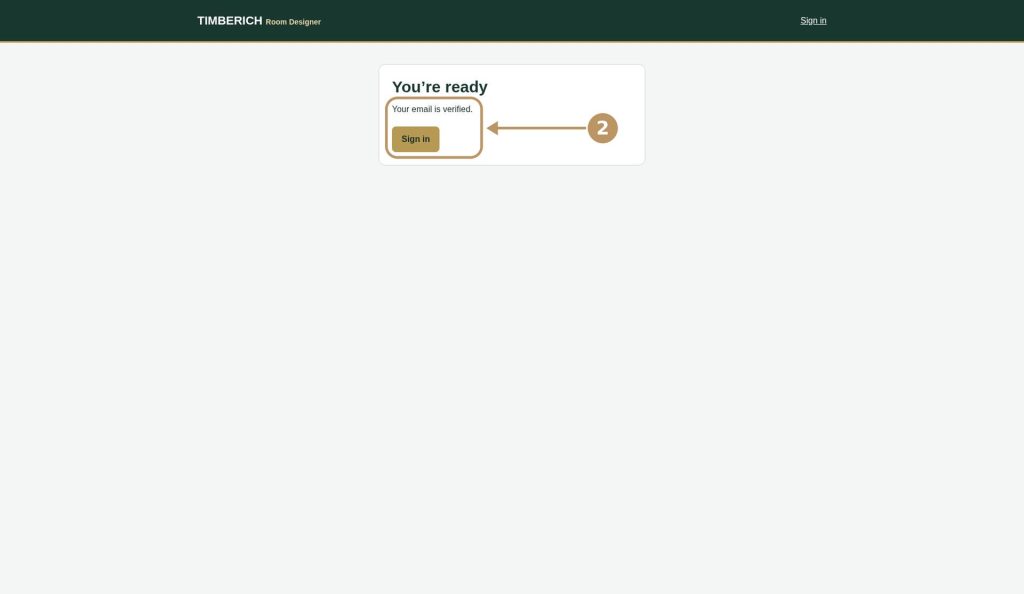
2. Verify your email and sign in
Open the email from Timberich and click Verify email. Can’t find it after a few minutes? Check spam or junk. Once you see “Your email is verified”, click Sign in.
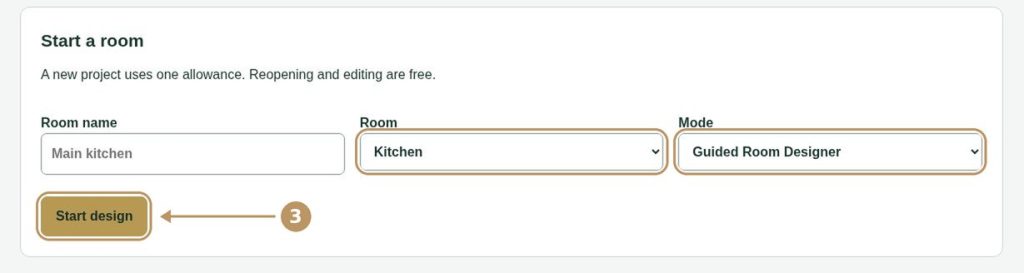
3. Start a room
On your dashboard, give your project a name, choose Kitchen, Closet or Vanities, pick a mode and click Start design.
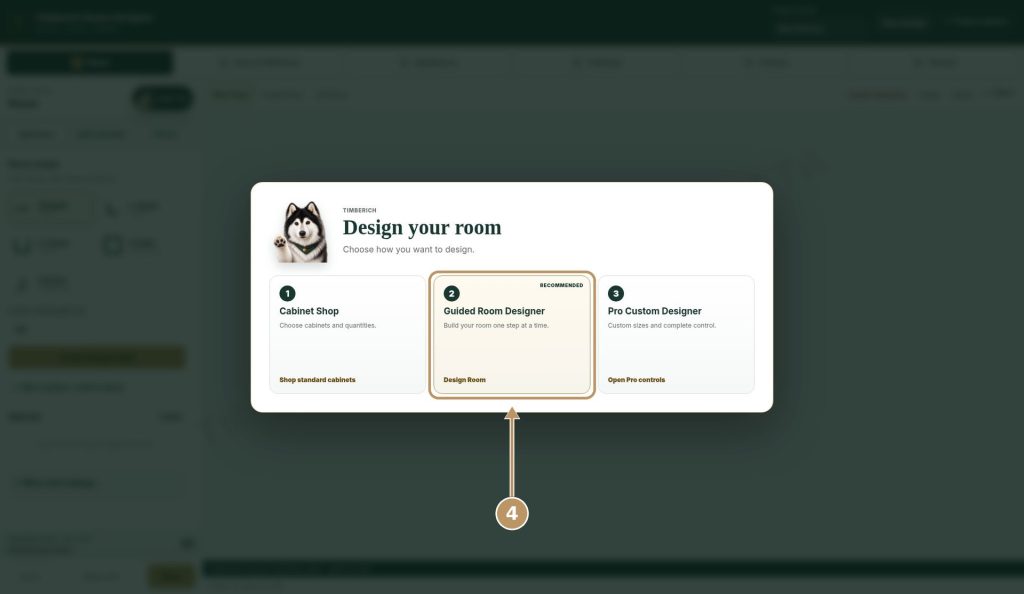
4. Pick how you want to design
- Cabinet Shop: choose cabinets and quantities.
- Guided Room Designer (recommended): build your room one step at a time.
- Pro Custom Designer: custom sizes and complete control.
Not sure? Go with Guided.
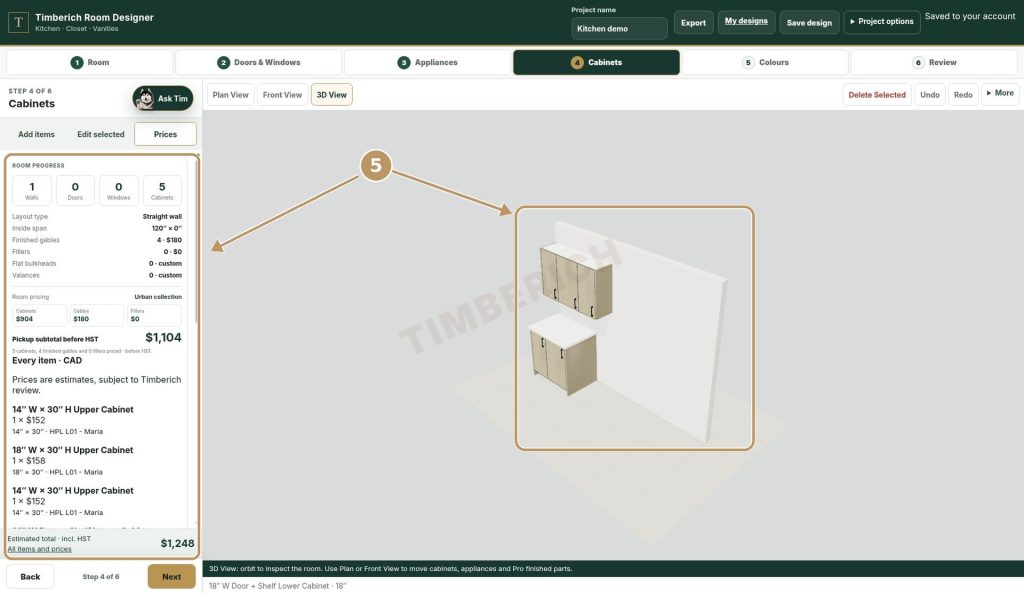
5. Design and watch the estimate
Add your walls, doors, windows, appliances and cabinets, then pick your colours. Spin the room in 3D as you go. The price panel on the right lists every item, so you always know where the total comes from.
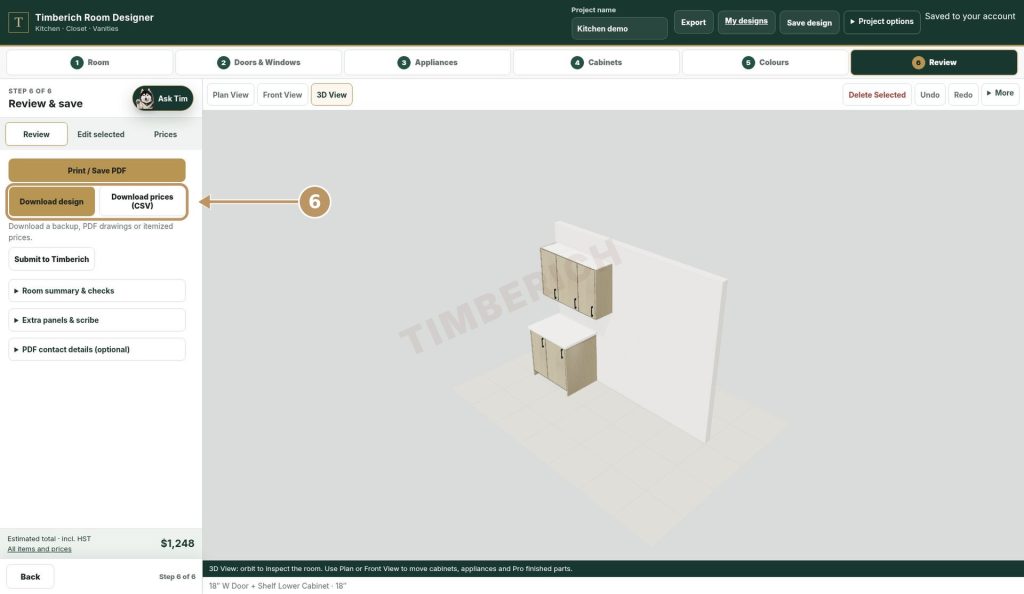
6. Save, download, come back anytime
Your design saves to your account automatically. Click Export to open Review & save, where you can download your design, download your prices as a CSV, or print or save it as a PDF.
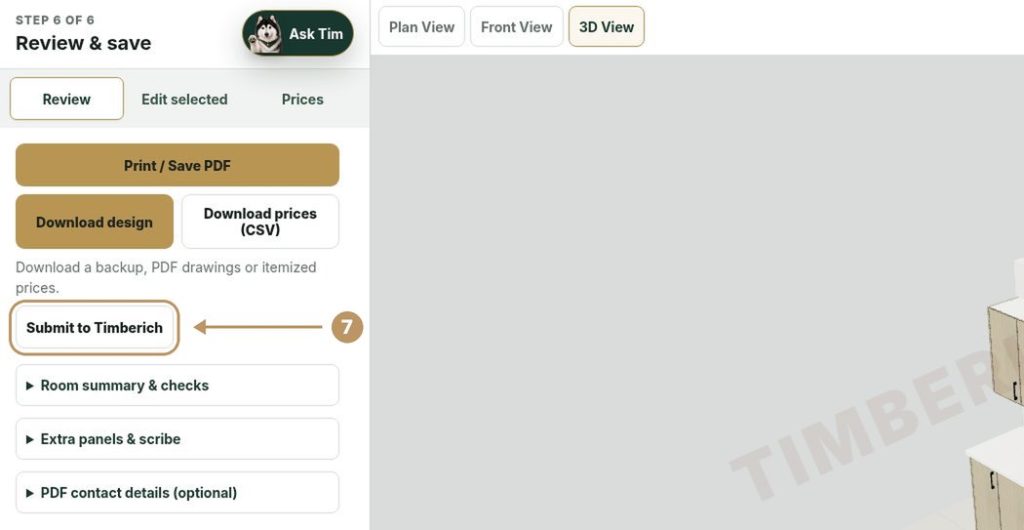
7. Submit to Timberich
Happy with it? Click Submit to Timberich. Our team will phone you to go over the design, answer questions and take payment over the phone. Nothing is charged on the website.
What’s included
Everything you need to plan your project, in one place.
3D design for kitchens, closets and vanities
Pick the room for each project and see it from every angle.
An itemized estimate
Every cabinet and option is listed with its price, so nothing is hidden in one total.
Your files to keep
Download PDF, CSV and design files. Share them with your partner or your contractor.
A real person at the end
You don’t check out online. We call you, go over the design with you, and then confirm your order.
How your 3 free designs work
Every verified account gets 3 project starts, free.
- Starting a new project uses one.
- Opening and editing a saved project is always free. Change it as often as you like.
- Copying a project counts as a new start.
- Deleting a project doesn’t give the start back. Edit an existing design instead of deleting and starting over.
- Place an order and, once your payment is confirmed, you get 3 more project starts.
Need more before then?
Call us at (905) 457-8787 or email info@timberich.ca.
Prices you can see. A person you can talk to.
Your estimate shows on screen. Payment happens on a call with our team, never on the website.
Frequently Asked Questions
Is the Room Designer free?
Yes. Creating an account and designing are free. Each account includes 3 project starts.
Is the estimate my final price?
No. It’s an estimate based on what you’ve designed. Before your order is confirmed, our team reviews it with you. Measurements, site conditions or changes can affect the final price.
How do I pay?
Not on the website. After you submit your order, TimbeRich will call you, review the design with you and take payment over the phone.
What if I need more than 3 designs?
Edit your saved designs as much as you like. That’s always free. After a paid order you get 3 more starts. If you need extra before that, call (905) 457-8787 or email info@timberich.ca.
I didn’t get the verification email. What now?
Wait a few minutes and check your spam or junk folder. Make sure you typed your email correctly when you signed up. Still nothing? Email info@timberich.ca and we’ll help.
Can I save my design and come back later?
Yes. Your projects are saved to your account. Log in at any time to reopen and keep editing.
I forgot my password.
Use “Forgot password” on the login screen. We’ll email you a link to set a new one.
Can I delete a design to get a start back?
No. Deleting doesn’t refund a start, so edit an existing design instead.
Rather talk to someone?
- Phone: (905) 457-8787
- Email: info@timberich.ca
- Address: 10 Henderson Ave Unit #5, Brampton, ON L6Y 2A4